From autumn’s flannel sleeves and cozy nights, we now move on to winter’s fuzzy scarves and snowy sights. To cap off this post series, this edition of seasonal designs for Animal Crossing Pocket Camp Complete features winter design ideas for both your campsite and cabin based on six different themes.
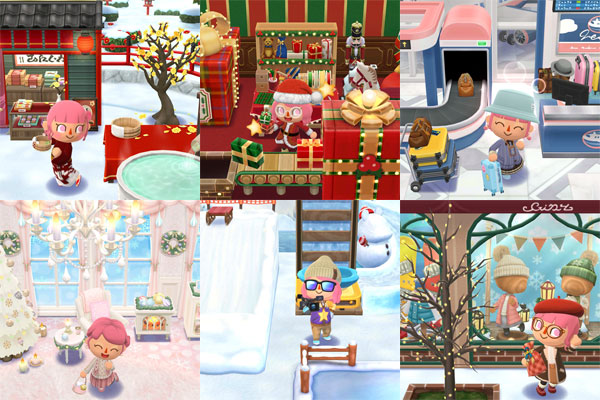
To get you even more excited for virtual holiday decorating, there are lots of themed cookies and craftable items available this month, and you can even use Complete Tickets to get a certain cookie or item from the catalogs if it isn’t currently reissued. What’s more, even without owning ACNH or having a Switch Online membership, you can still use custom design codes in Pocket Camp. There’s more on how to use these at the end of this post, so keep reading for design ideas that you can use for the winter season
Historical (Campsite)
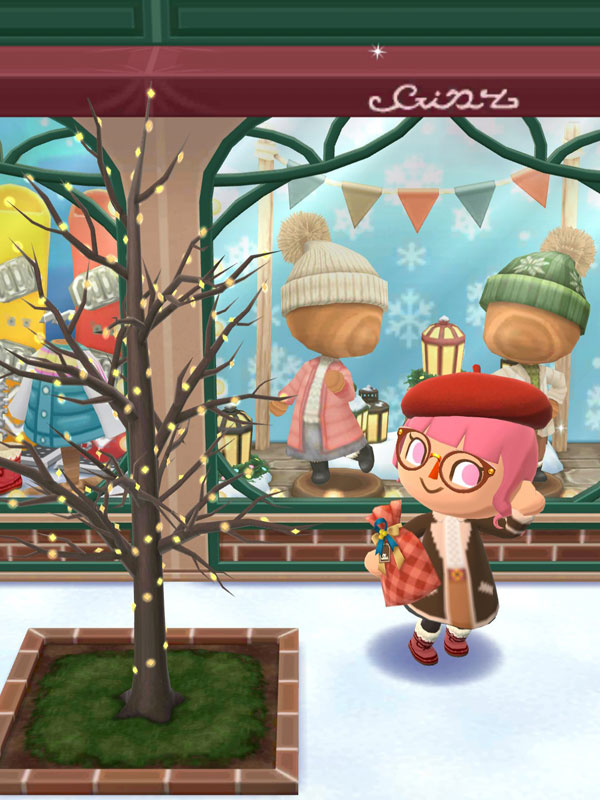
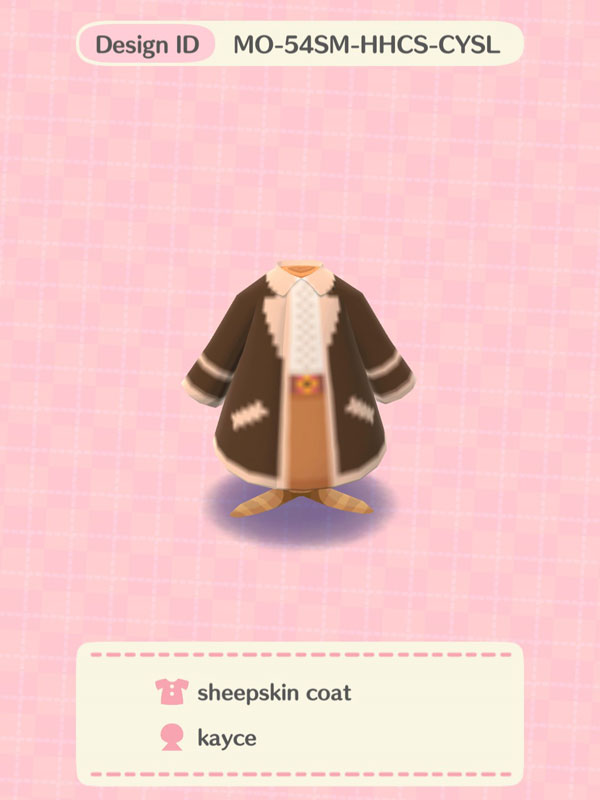
Look chic in kayce’s sheepskin coat while keeping your holiday shopping in check as you go through various shop displays (care of Timbra’s tinsel cookie) around the Toy Day lodge.
More recommendations:
- Cookies: Bianca’s lights cookie / Fauna’s toy day cookie
- Craftable items: Toy Day Square / Toy Day Marketplace
- Terrains: Merry village
Harmonious (Campsite)
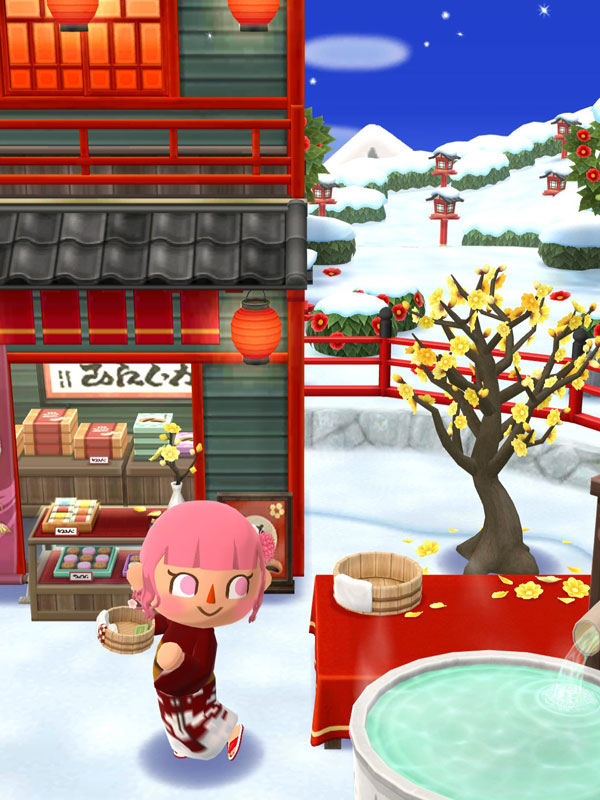
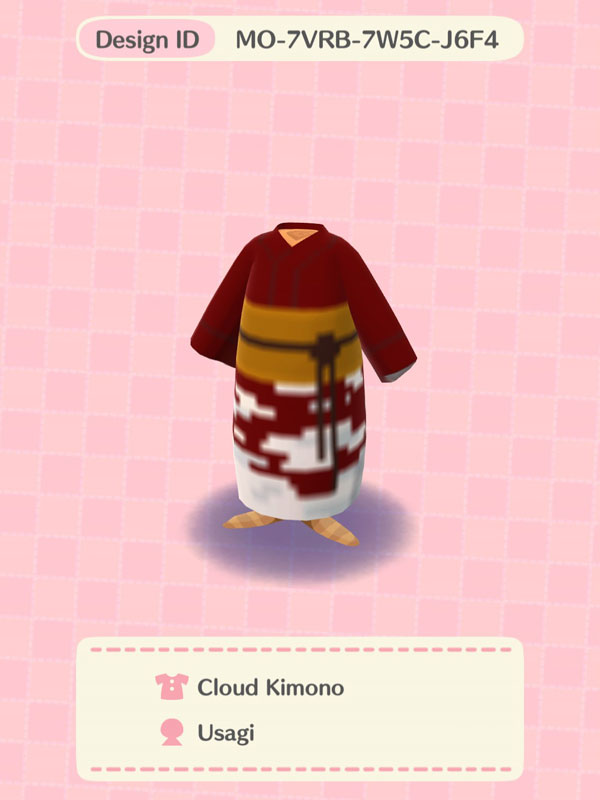
Take a stroll through a hot spring village built on a snowy camellia garden with items from Dobie’s hot spring cookie and Chevre’s serene cookie. Don’t forget to wear your red and white cloud kimono care of Usagi.
More recommendations:
- Cookies: Shino’s shrine cookie
- Craftable items: Blathers’s bus stop
- Terrains: Hot-spring district / Snowy garden
Sporty (Campsite)
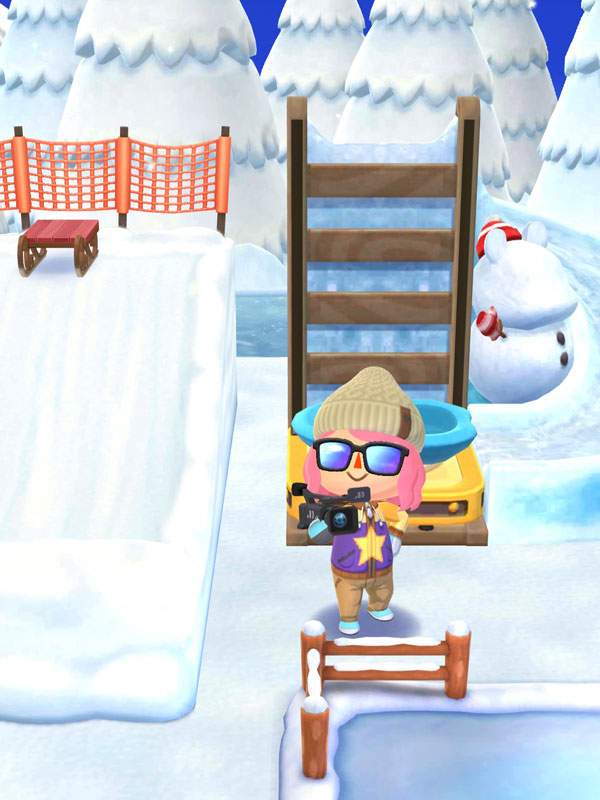
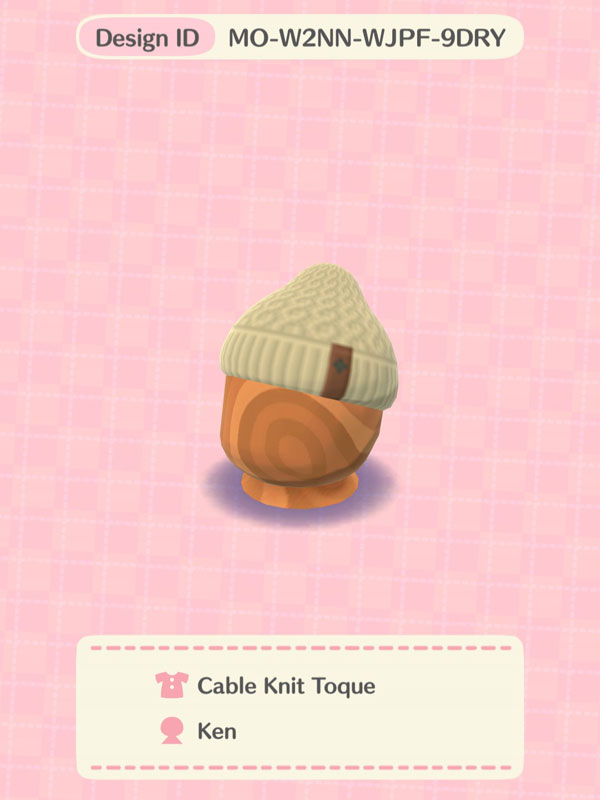
Create a snow park against a silvery snowscape with nightlight ice rinks, snow slides from Rover’s snowy spectacle, and playground items from Hamlet’s chilly cookie. Ken’s cable knit toque will keep your head warm so you can focus on having fun and making memories.
More recommendations:
- Cookies: Wendy’s snowy cookie
- Craftable items: Winter sports / Frozen pond skating rink
- Terrains: Mountain plaza / Frozen forest
Rustic (Cabin)
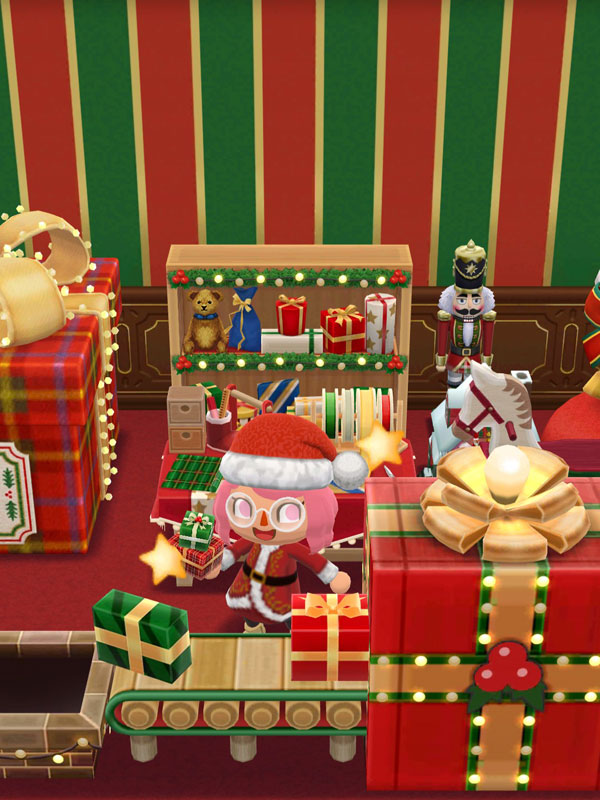
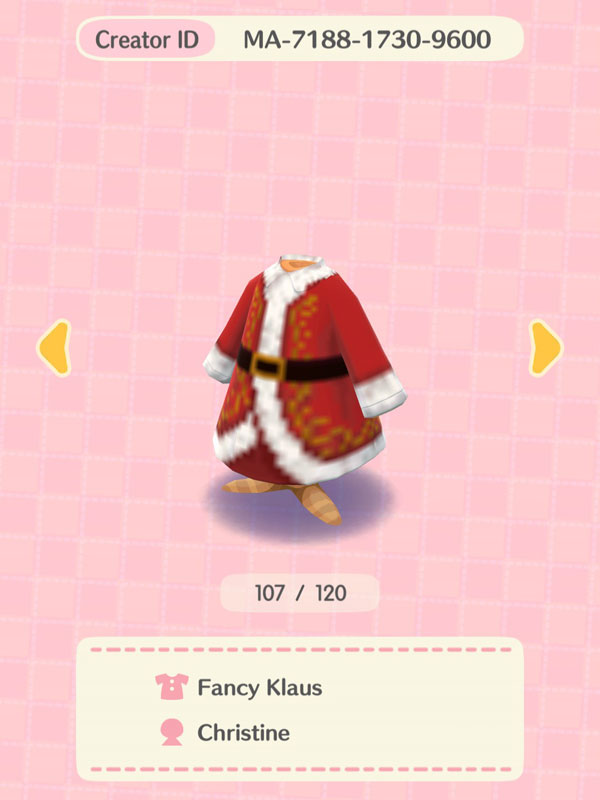
Be a Fancy Klaus care of Christine’s suit and help your elves (or animal villagers) prep & pack toys in this workshop built with a Toy Day striped wall and a simple red floor, and decorated to the brim with items from Rhonda’s holiday cookie and Erik’s workshop cookie.
More recommendations:
- Cookies: Sally’s toasty cookie
- Craftable items: Toy Day Gifts / Toy Day Bookstore
- Wallpaper & flooring: RusticToy Day wall / Toy Day carpet floor
Civic (Cabin)
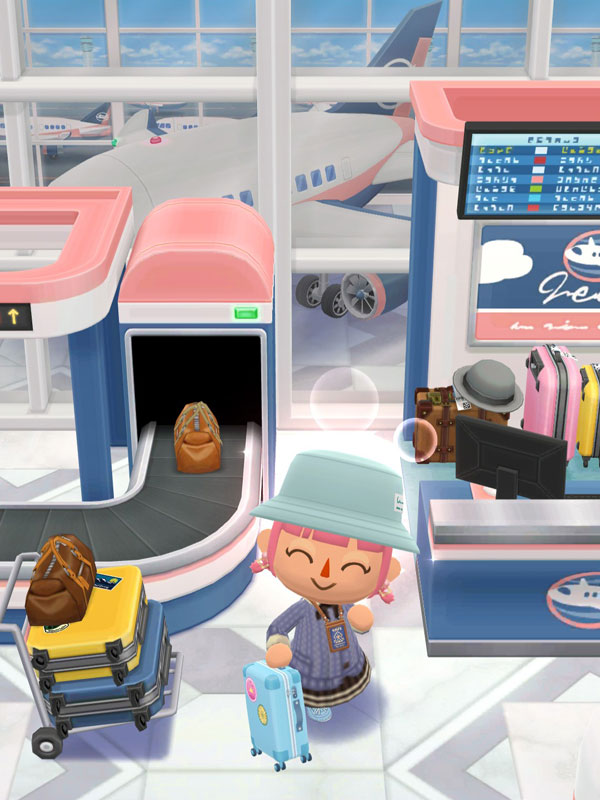
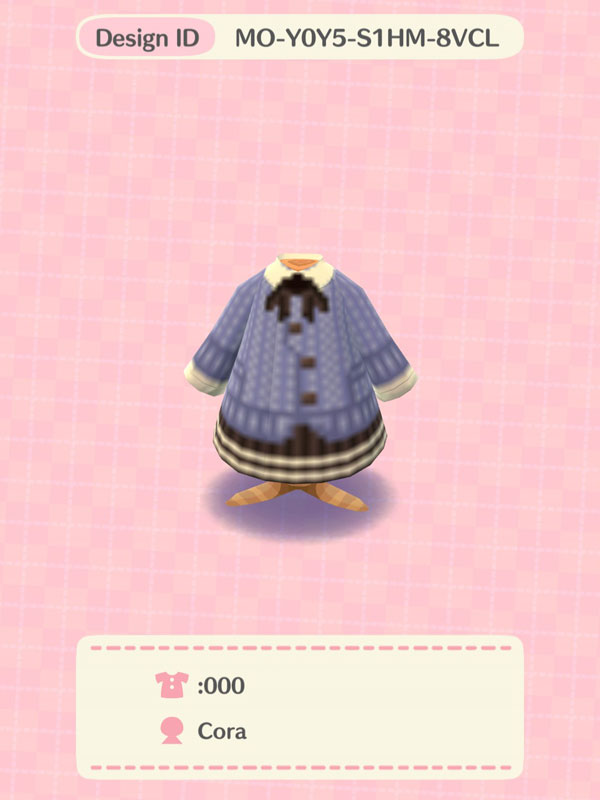
This classy Pocket Camp airport was created with Ace’s sky-high cookie, an airport window wall, and a marble airport floor. Avoid the holiday travel rush in Cora’s knitted outfit that’s cute enough to make everyone go :000! Or maybe do some last-minute shopping for souvenirs before catching your flight?
More recommendations:
- Cookies: Alfonso’s model cookie / Maelle’s mall cookie
- Craftable items: Travel memories / Tiny travels
- Wallpaper & flooring: Airplane interior wall / Airplane floor carpet
Cute (Cabin)
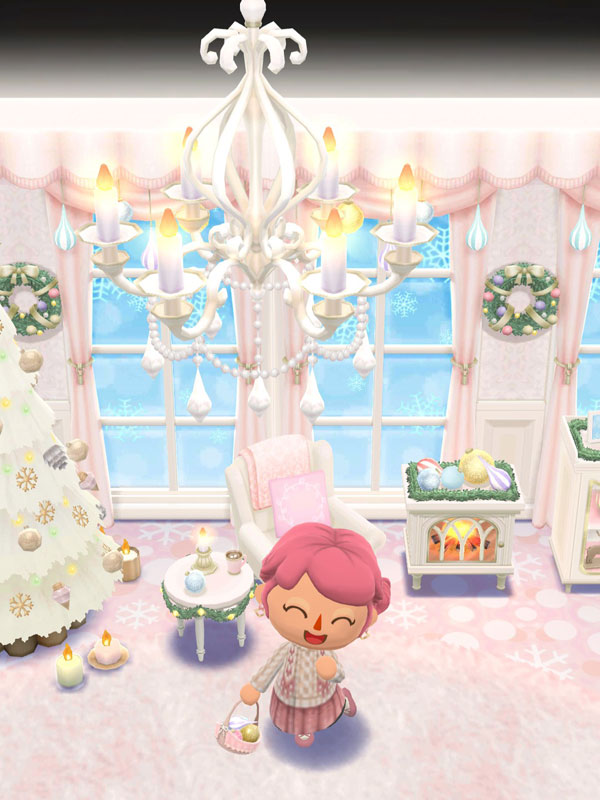
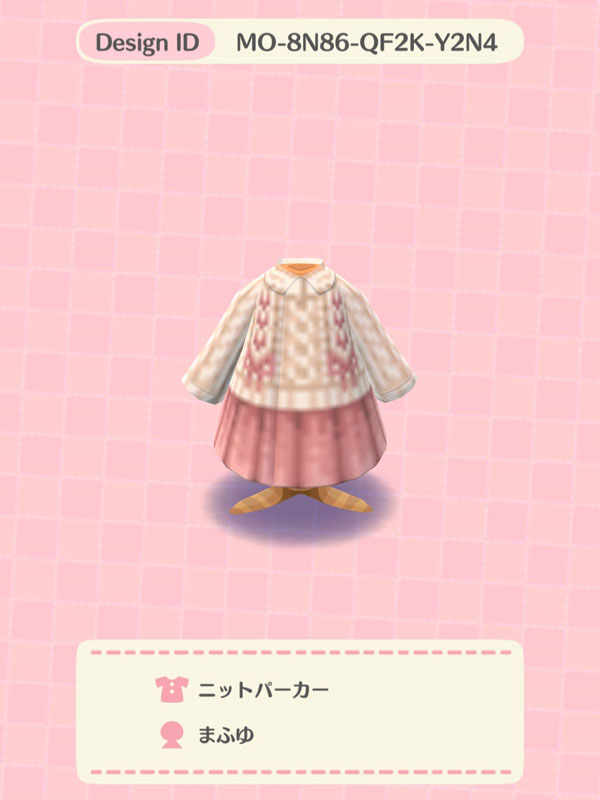
We’ve all heard the song about dreaming of a white Christmas, but how about a pink one? Items from Marcie’s sugared cookie sprawled against a pink two-tone wall and sparkling snow floor will have you living your pink Christmas dreams in no time. And make sure to put on Mafuyu’s super cute pink knit set as you whip up some hot cocoa and warm baked goods.
More recommendations:
- Cookies: Tutu’s cookie-bear cookie
- Craftable items: Woolly room / Candlelit Toy Day
- Wallpaper & flooring: Sparkling snow wall / Pink herringbone floor
How to use Animal Crossing custom designs on Pocket Camp Complete
- Tap on the pencil and shirt icon to open Custom Designs:
- Via the main menu: Tap on the “Custom Designs” icon.
- Via the inventory: Tap on either the “Clothing” or “Furniture” tabs and look for the same icon at the top leftmost part, then tap on “Add Custom Design.”
- Tap on “Creator ID” to view designs from a selected creator or “Design ID” for a specific code.
- If you aren’t yet, make sure you’re connected to the internet, then link your Nintendo account for Pocket Camp by tapping on “Select this person.”
- Once done, type the corresponding creator or design code.
- Hit “Save” once you select an item of your choice. You have 20 available slots each for clothing and furniture.
- To view your saved clothing and furniture, tap the “Custom Designs” icon via your inventory.
Don’t forget to check out our Animal Crossing archives for more design ideas.





Leave a Reply